About the DS200UCIAG1ACB
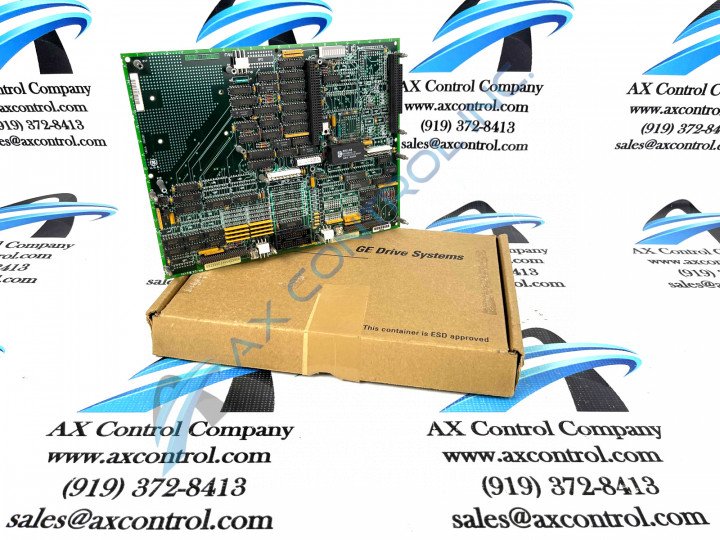
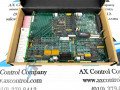
This DS200UCIAG1ACB Mark V Series product's Motherboard functionality is introduced alongside its internal assembly's necessitation of a specific grouping of hardware components. The GE UC2000 Motherboard DS200UCIAG1ACB features:
- one microprocessor
- multiple PROM modules
- 1 block of 10 LEDs
- 2 50-pin connectors
- 1 jumper
- 1 connector
The board can be connected to a daughter card that provides additional processing functions. Two daughter cards are optional devices and the choice depends on the additional processing you need. One daughter card provides additional processing with use of a microprocessor. It also supplies additional memory with a memory connector. The memory connector supports 1 memory DIMM for large amounts of additional memory space. The other daughter card provides additional turbine control through the specific components that populate the board. Both daughter cards connect to the board through modular connectors that supply the electrical connections and control signals. The daughter cards rest on standoffs that support the cards. Four screws are used to secure the cards to the standoffs.
DS200UCIAG1ACB Part Number and Installation
The DS200UCIAG1ACB functional product number begins with the DS200 series tag dictating its normal Mark V Series assembly version and its domestic original manufacture location. Some of the other relevant DS200UCIAG1ACB Board details revealed in the DS200UCIAG1ACB functional product number include this DS200UCIAG1ACB PCB's:
- UCIA functional product abbreviation
- group one Mark V Series product grouping
- A-rated primary functional revision
- C-rated secondary functional revision
- B-rated artwork configuration revision
The PROM modules are connected to the DS200UCIAG1ACB board through modular-type sockets that populate the board. Always protect the PROM modules from static build up by wearing a wrist strap. The modules can be removed from the sockets by inserting a flat-blade screwdriver between the socket and the module on the ends of the modules. Gently rock the blade to disconnect the module from the socket. Then, insert the blade on the other end and perform the same action. Immediately place the module in a static protective bag or install the module in the replacement board.