About the DS200TCCBG3A
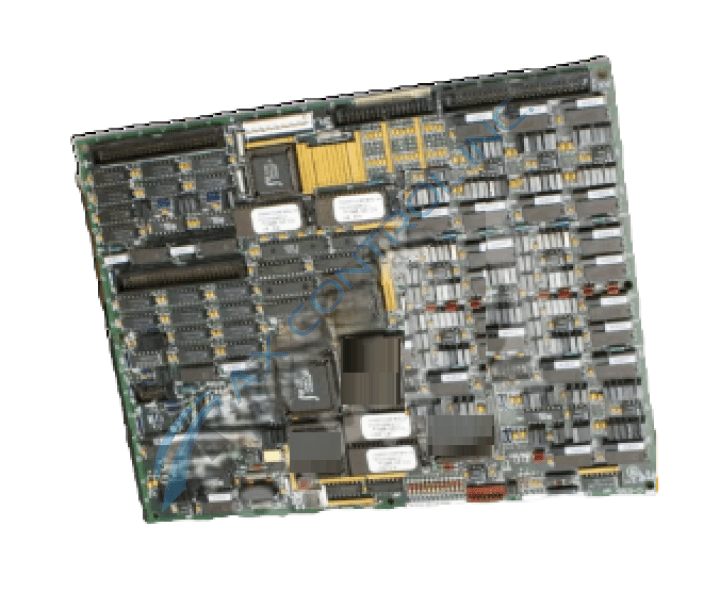
As with any Mark V Turbine Control System Series product available here, this DS200TCCBG3A board makes use of its own selection of functionality-introducing hardware components and component specifications. The GE I/O TC2000 Analog Board DS200TCCBG3A features:
- one 80196 microprocessor
- multiple PROM modules
- one LED
- 2 50-pin connectors
The LED is visible from the side view of the board, and displays information concerning DS200TCCBG3A board functional failures and normative functionality. The IDs for the 50-pin connectors are JCC and JDD. The GE I/O TC2000 Analog Board DS200TCCBG3A also is populated with 5 34-pin connectors and each of them also has an ID printed on the surface of the circuit board.
DS200TCCBG3A Standard Procedures
Hardware and software configuration of this DS200TCCBG3A printed circuit board are both possible, as this DS200TCCBG3A PCB possesses both several manually-moveable hardware jumpers and IO Configuration Editor compatibility. Each manually-moveable hardware jumper in this DS200TCCBG3A product offering's assembly is accompanied by its own factory-printed nomenclature label beginning with a J digit signifying a jumper status. The J1-J5 labelled jumpers in this DS200TCCBG3A product's assembly were included for provision of both generator voltage and bus voltage diagnostic monitoring purposes, as well as the line current monitoring function within the Mark V LM automated drive assembly. Given DS200TCCBG3A PCB's description as a Common Extended Analog IO Board, it should come as no surprise that this DS200TCCBG3A product is accompanied by its own series of voltage-limiting installation procedures, given its static sensitivity. When you are preparing to replace the board you can:
- use the 50-pin and the 34-pin connector IDs to speed up and simplify the task of reconnecting the ribbon cables to the replacement board once it is installed in the drive
- use multiple ribbon cables to disconnect from the old board and reconnect to the replacement board
- inadvertently connect them to the wrong connectors on the new board
The accidental connection problem is complicated by the fact that the replacement board might be a newer version of the old board. It might have the connectors located in different locations. However, the connector IDs are the same on the defective DS200TCCBG3A board and the replacement DS200TCCBG3A board, which enables you to map the connectors on the old and replacement board. If you find a ribbon cable connected to the 50-pin connector JCC on the old board, connect the same ribbon cable to 50-pin connector JCC on the replacement board.