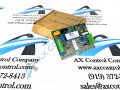
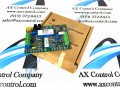
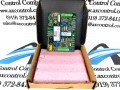
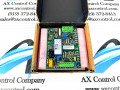
About the DS200SVIAG1ACB
This DS200SVIAG1ACB printed circuit board introduces many crucial hardware elements and element specifications to gain full series functionality as a Shunt Isolator Board specifically. The GE Shunt Isolator Board DS200SVIAG1ACB features 2 terminal blocks. One terminal block contains 7 signal wire terminals and one contains 8 signal wire terminals. The GE Shunt Isolator Board DS200SVIAG1ACB also contains:
- multiple test points
- 2 jumpers labeled JP1 and JP2
- 1 LED for fault detection purposes
These jumpers are used to configure the board to process information as required by its greater Mark V Series automated drive. Some of the jumpers cannot be changed and are instead used only by the factory during the manufacturing process. In that case, the jumper is moved to test a particular process. Then, it is moved back to configure the board to the supported jumper position.
DS200SVIAG1ACB Part Number
This DS200SVIAG1ACB PCB is a Mark V Series product offering that does not offer a whole lot of original instructional manual materials online for research purposes. With that being said, the DS200SVIAG1ACB functional product number itself is a good source of relevant SVIA Shunt Isolator Board hardware information:
- The DS200SVIAG1ACB functional product number begins with the DS200 series tag detailing this DS200SVIAG1ACB product's normal Mark V Series assembly and domestic location of manufacture
- This is followed in the DS200SVIAG1ACB number by an instance of the SVIA functional product acronym
- This is followed by the G1 series grouping tag revealing the DS200SVIAG1ACB PCB's normal style of PCB protective coating and group one Mark V Series grouping
- The end of the DS200SVIAG1ACB functional part number contains three alphanumeric digits, revealing this DS200SVIAG1ACB board's three significant product revisions and their grades
The terminal blocks in the assembly of this DS200SVIAG1ACB PCB can connect to a maximum of 15 signal wires. When you replace the GE Shunt Isolator Board DS200SVIAG1ACB it is vital that you connect the signal wires to the same terminals on the replacement board. To ensure that you connect the signal wires to the appropriate terminals you must follow some guidelines, as introduced in original DS200SVIAG1ACB instructional manuals. Examine the defective board when it is still mounted in the drive and note where the signal wires are attached. Pin to the signal wires the ID of the terminal it is attached to. Next, use a screwdriver to free the signal wire from the terminals. When you have mounted the new board in the rack, loosen the screws in the terminals and insert the bare copper end into the appropriate terminal. Tighten the connection and pull on the wire to test the connection, and the installation process should be complete.