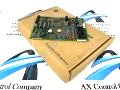
About the DS200ADCIH1A
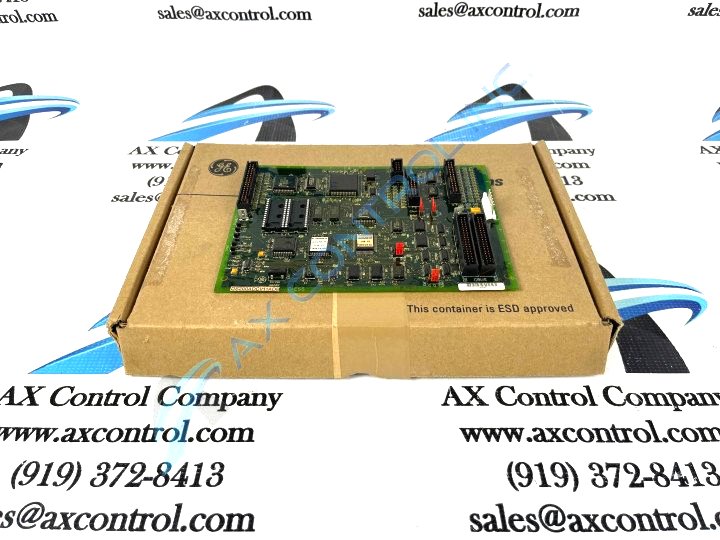
As with any GE PCB available to our reconditioned and new inventory here, Mark V Series or not, this DS200ADCIH1A PCB's intended functional role is established through its DS200ADCIH1 parent printed circuit board's acceptance of a specific series of functionality-inducing hardware components and component specifications. The GE Genius Adapter Board DS200ADCIH1A features:
- 4 jumpers
- one 20-pin connector
- three 40-pin connectors
- two programmable memory (PROM) modules
The 40-pin connectors and the 20-pin connectors on the GE Genius Adapter Board DS200ADCIH1A connect to ribbon cables that carry control signals. The control signals are received by the board for processing and some of the control signals are transmitted to other boards and components in the drive.
DS200ADCIH1A Part Number
As identified previously, this DS200ADCIH1A printed circuit board product offering is a member of the now-obsolete legacy series the Mark V Turbine Control System Series. Given this legacy series attribution, this DS200ADCIH1A PCB is not surrounded by a range of easily-available instructional manual materials online. Because of this, the DS200ADCIH1A functional product number itself can be considered a strong primary source of DS200ADCIH1A Board hardware information, coding for specific details in a consecutive functional series of naming chunks. For example, this DS200ADCIH1A PCB's functional product number begins with the dual-functional DS200 series tag asserting this DS200ADCIH1A PCB's normal assembly status and its domestic original manufacture location. Some of the other pieces of information revealed through analysis of the board's DS200ADCIH1A functional product number includes its:
- ADCI functional product abbreviation
- Conformal PCB coating style
- Group one Mark V Series product grouping
- A-rated functional product revision
DS200ADCIH1A Replacement
When you plan the replacement, be aware of some information about the ribbon cables. The ribbon cable must be handled in a manner that avoids damage. Because of the construction of the ribbon cables any stress you put on the cable might cause the wires to break away from the connector. When you remove the cable from the board, hold the cable by the connector only and pull it gently from the connector. Use your free hand to steady the board while you pull the cable from the board. Because the board has multiple connectors it might help to write down the connector identifier to which the connector is plugged. Use a small amount of tape to wrap around the cable with the connector information. In this manner replugging the cables becomes much easier and quicker. It also helps eliminate the chance of plugging the cable into the wrong connector. Be aware that you can only disconnect or connect cables with the power removed from the drive. Also, take measures to protect all components from static buildup.
Before making any final purchase decision on this DS200ADCIH1A product offering, it is critical to understand that its originally-introduced performance specifications and dimensions have surely been altered by its normal assembly's acceptance of a sole, A-rated functional product revision.